logoSaasHunt
  • Submit Project
  • Collections
  • Pricing
  • Sponsors
Sign inSign up
Sign in

Categories

Browse Categories

AI & Machine Learning785 projectsAPI Tools64 projectsAPIs & Integrations62 projectsAuthentication13 projectsBlockchain & Crypto14 projectsBusiness Analytics134 projectsCI1 projectsCMS16 projectsCRM43 projectsCloud28 projectsCode13 projectsCollaboration52 projectsCommunity Building59 projectsCustomer Data Platforms13 projectsCustomer Support48 projectsData & Analytics117 projectsDatabases27 projectsDesign Tools223 projectsDevOps19 projectsDeveloper Tools212 projectsDevelopment Tools29 projectsE-commerce76 projectsEducation Tech96 projectsEmail Tools41 projectsEvent Management12 projectsFeedback & Survey Tools24 projectsFinance & FinTech65 projectsHR & Recruitment50 projectsHealth Tech43 projectsHelpers136 projectsHosting & Infrastructure13 projectsLegal Tech22 projectsLocalization & Translation18 projectsMarketing437 projectsMobile Development28 projectsMonitoring33 projectsNatural Language Processing34 projectsNo-Code60 projectsOpen Source32 projectsPayment Gateways11 projectsPlatforms & Frameworks96 projectsProductivity513 projectsProject Management44 projectsPrototyping7 projectsSales93 projectsSecurity63 projectsServerless14 projectsSubscription Billing17 projectsTesting & QA22 projectsUI/UX32 projectsVideo & Streaming78 projectsWeb Development72 projectsWeb312 projectsWorkflow Automation123 projects

Quick Access

Trending NowTop of Last Month
Company LogoSaasHunt

Product Hunt alternative for startups

© 2026 SaasHunt. All rights reserved.

Build with ❤️ by DirEasy

Discover

  • Trending
  • Categories
  • Submit Project

Resources

  • FAQs
  • Pricing
  • Sponsors
  • Blog
  • Help Center

Legal

  • Terms of Service
  • Privacy Policy

Connect

  • GitHub
  • Twitter / X

Products

  • ShipThing
  • DevHub
  • AIChatOne
SaasHunt - Product Hunt Alternative for Saas products | Product HuntExample ImageUneed POTD1 BadgeSaasHunt - Product Hunt Alternative for Saas products | Startup FameBest SaaS Boilerplates Verified BadgePowered by Open-LaunchListed on Turbo0TinyLaunch BadgeFeatured on Starter BestFeatured on The One StartupMonitor your Domain Rating with DRChecker Featured on Days LaunchIndieWallToolsFine.com-Best AI Tools and AI App in 2024Featured on Dofollow.ToolsAiTop10 Tools Diresctory

Design Tools

AI Free Forever logo

1. AI Free Forever

AI Free Forever is a comprehensive, user-first platform offering over 700 free AI-powered tools and generators designed to simplify content creation, enhance productivity, and unlock creativity. It provides instant access to cutting-edge AI technology without any barriers, making powerful AI tools accessible to all users without signups, subscriptions, or hidden costs. This platform targets a broad audience including content creators, students, business professionals, and creative enthusiasts seeking efficient and free AI solutions for various tasks. Key Features: Extensive AI Tool Library: Access to 700+ free AI tools covering AI chat, image generation, voiceovers, transcriptions, sticker creation, writing assistance, and more. No Barriers to Entry: Completely free forever with no login, no signup, no credit card, ensuring immediate and unlimited access. Advanced AI Chat: Engage with multiple leading AI models for free, including GPT 5, Gemini Flash, Qwen 3, Mistral, and Meta:Llama. Versatile AI Image Generation: Create stunning images in various styles like realistic photos, digital art, anime, and fantasy, with unlimited usage. Specialized AI Utilities: Tools for generating transparent AI stickers, text-to-speech, audio transcription (OpenAI Whisper), old photo restoration, and black & white photo colorization. Productivity & Content Creation Suites: Dedicated sections for social media, professional, writing, student, career, and YouTube tools. Use Cases: AI Free Forever is invaluable for diverse applications. Content creators can generate stunning visuals, engaging social media captions, and YouTube content. Professionals can utilize AI for proposals, emails, and business plans, while students benefit from tools for study notes, research, and essay outlines. Career-focused individuals can use the resume builder and cover letter generator. Unique utilities include restoring old photos and colorizing vintage images, bringing memories back to life. Pricing Information: AI Free Forever operates on a completely free model. There are no subscriptions, hidden costs, or credit card requirements. All 700+ tools are available for unlimited use without any financial commitment. User Experience and Support: The platform emphasizes ease of use and accessibility, eliminating paywalls and registration forms. Users can join its Discord community for help and idea sharing, and a blog section offers tutorials and insights. Technical Details: AI Free Forever integrates multiple state-of-the-art AI models, including GPT 5, Gemini Flash, Qwen 3, Mistral, and Meta:Llama for chat. Audio transcription utilizes OpenAI Whisper, and custom AI models are employed for specialized features like the AI Sticker Generator. Pros: Completely free forever with no hidden costs or subscriptions. No login, signup, or credit card required. Extensive library of over 700 diverse AI tools. Supports multiple advanced AI models. Available as a mobile app on Google Play. Cons: Specific details on advanced customization options are not explicitly mentioned. Direct customer support channels beyond Discord are not highlighted. Capabilities are tied to the advancements of integrated third-party AI models. Conclusion: AI Free Forever stands out as an unparalleled platform for anyone seeking powerful, accessible, and completely free AI tools. Its vast array of functionalities, combined with a commitment to user freedom, makes it an essential resource for enhancing creativity, productivity, and learning. Explore AI Free Forever today to transform your ideas into reality without any barriers.
AI & Machine LearningDesign ToolsProductivity
0
1
BringBack logo

2. BringBack

BringBack AI is an innovative SaaS platform dedicated to restoring old, faded, and damaged photographs to their original clarity, then bringing them to life with subtle, lifelike AI animation. It's ideal for anyone preserving cherished family memories, historical moments, or any precious photograph that has suffered from time, offering a modern, fast, and private solution. Key Features Advanced AI Photo Restoration: Automatically repairs scratches, tears, water damage, fading, blur, and discoloration in seconds. Lifelike AI Animation: Generates subtle, natural movements like smiles, blinks, and head tilts, preserving authentic character. High-Resolution Output: Delivers restored photos in high-resolution PNG and animations as MP4 videos. Complete Privacy & Security: Uploaded photos are processed securely and deleted from servers within 30 minutes. Rapid Turnaround: Restorations complete in under 30 seconds, animations in 30-60 seconds. Use Cases BringBack AI is perfect for revitalizing a wide array of memories. Families can restore faded portraits, bringing back the warmth of a family hug or a grandparent's twinkle. Wedding photos can be revived to showcase joyful tears. It's also invaluable for animating historical figures or ancestors, creating a deeper connection to the past, and excels at restoring childhood memories, beloved pet photos, and military heritage portraits. Pricing & User Experience BringBack AI offers transparent, one-time payment plans: "Starter" (5 restorations for $2.49) and "Best Value" (5 restorations + 1 animation for $4.99). All plans include high-resolution output, free enhance/upscale, digital frames, and credits that never expire, backed by a 30-day money-back guarantee. The platform is incredibly user-friendly; simply upload a photo and let the AI work its magic. A "Smart Damage Check" provides a free re-restoration if significant damage persists. Technical Details & Pros/Cons Utilizing advanced AI and machine learning, BringBack AI intelligently reconstructs damaged areas and generates lifelike animations by identifying facial landmarks. This goes beyond simple filters for precise results. Pros include exceptional AI quality, speed, affordability, strong privacy, wide damage handling, and ease of use. Cons note that optimal animation requires clear facial features, minor noise/blur may not qualify for free re-restoration, and there's no explicit freemium tier. Conclusion BringBack AI offers a complete, modern solution for preserving and revitalizing cherished memories. Its powerful AI technology delivers professional-grade photo restoration and unique, lifelike animation quickly, affordably, and privately. For anyone looking to bring their past back to life and share it with future generations, BringBack AI is the definitive choice.

AI & Machine LearningDesign ToolsHelpers
0
1
port your Doc logo

3. port your Doc

Convert RAW images to PNG format for free with our easy-to-use online converter. Fast, secure, and no software installation required. Start converting now!

Design Tools
0
2
Instant Photos logo

4. Instant Photos

Introduction to Instant PhotosInstant Photos is an innovative AI-powered SaaS designed to transform ordinary selfies into professional, studio-quality headshots in mere seconds. This platform is perfect for individuals seeking to enhance their online presence, particularly for LinkedIn profiles, job applications, and general personal branding.Target Audience & Use CasesThe primary target audience includes job seekers, professionals, freelancers, and anyone who needs a polished, high-quality headshot without the time and expense of a traditional photography studio. It's ideal for quickly updating professional profiles, preparing for interviews, or maintaining a consistent brand image across various digital platforms.Key Features AI-Powered Headshot Generation: Utilizes cutting-edge AI to create professional headshots from selfies. Blazing Fast: Generates ready-to-use headshots in seconds, not hours. Privacy Protected: Ensures user privacy by not sharing photos and deleting all data within 24 hours. Customizable Options: Allows users to choose their preferred background and attire to match their brand or purpose. Face Preserving: Advanced identity preservation technology ensures unique facial features remain intact. Transparent Pricing: Offers a simple, no-subscription pricing model with no hidden fees.Specific Use CasesJob Applications & Professional Networking: Instant Photos empowers job seekers to make a strong first impression with professional headshots that stand out on resumes and LinkedIn. It eliminates the need for expensive studio sessions, providing a quick and affordable solution to meet application requirements and enhance professional credibility.Personal Branding & Online Presence: For entrepreneurs, consultants, or anyone building a personal brand, this SaaS offers an efficient way to maintain a consistent and polished image across websites, social media, and other digital platforms. It helps project professionalism and trustworthiness, crucial for client acquisition and networking.Team & Corporate Profiles: Small businesses and teams can leverage Instant Photos to generate uniform, high-quality headshots for company directories, "About Us" pages, and internal communications. This ensures a cohesive brand image without the logistical challenges and costs associated with organizing group photo shoots.Pricing InformationInstant Photos operates on a transparent freemium model. Users can test the technology with a "Free Preview" offering 2 watermarked previews per day at $0. For a high-resolution, watermark-free headshot, the "Essential Headshot" option is available for $5 per headshot, providing instant download and LinkedIn-ready quality. There are no subscriptions or hidden fees.User Experience and SupportThe platform boasts a remarkably simple 3-step process: upload a selfie, let the AI work its magic, and download the finished headshot. This intuitive design ensures ease of use for all skill levels. While direct support channels aren't explicitly detailed, a comprehensive "Privacy Policy" is readily available, emphasizing the company's commitment to user data protection.Technical DetailsInstant Photos leverages "cutting-edge AI technology" to perform its core function of transforming selfies into professional headshots. While specific programming languages or frameworks are not disclosed, the emphasis is on advanced artificial intelligence for image processing and generation.Pros and Cons Pros: Extremely fast headshot generation; Cost-effective alternative to traditional studios; Strong privacy protection; Customizable options for background and attire; User-friendly interface; No subscription commitment. Cons: Free previews are watermarked; Limited information on advanced editing features beyond basic customization; Specific customer support channels are not detailed in the provided content.ConclusionInstant Photos offers an unparalleled solution for anyone needing professional headshots quickly and affordably. By harnessing advanced AI, it delivers studio-quality results with a focus on user privacy and convenience. Elevate your professional image today by exploring Instant Photos and experience the future of headshot creation.

AI & Machine LearningDesign ToolsHR & Recruitment
0
1
Top AI Tools logo

5. Top AI Tools

Discover the Best AI Tools with Top AI Tools Top AI Tools is a comprehensive directory designed to help you discover and compare the best AI-powered tools and software solutions. It meticulously curates and reviews AI tools across a wide array of categories, simplifying your search for the perfect AI solution to meet your specific needs. Target Audience & Use Cases This platform is an invaluable resource for a diverse audience, including developers seeking coding assistants, content creators looking for AI video and image tools, business owners exploring automation solutions, and students utilizing AI for education. It serves anyone aiming to leverage artificial intelligence to enhance productivity, streamline workflows, and innovate across various domains. Key Features Curated Selection: Access a carefully reviewed collection of top AI tools. Daily Updates: The directory is updated daily with new tools and ensures dead links are removed. Detailed Information: Each listing provides comprehensive details on features, pricing models, and real-world use cases. No Signup Required: Browse all AI tools instantly without the need to create an account. Easy Navigation: Find tools fast by searching by name or browsing organized categories. Clear Pricing Info: See free, freemium, and paid options at a glance. Use Cases For content creators, Top AI Tools offers solutions for AI image generation, video editing, and writing assistants, streamlining content production workflows from ideation to final output. It helps them find tools that can generate stunning visuals, create engaging videos, or refine written content with ease. Developers can efficiently discover coding assistants, AI code generators, and automation tools to enhance their productivity, accelerate development cycles, and simplify complex programming tasks. Business owners can explore a wide range of AI business tools for automation, productivity, and various other operational improvements, making informed decisions to optimize their operations and gain a competitive edge. Pricing Information Top AI Tools itself is completely free to browse and use, requiring no signup, paywalls, or hidden fees. The listed AI tools within the directory may offer various pricing models, including free, freemium, and paid options, often with direct links to free trials or demos provided for user convenience. User Experience and Support The platform boasts a simple and straightforward user experience, allowing users to browse by category or utilize a search feature to find tools quickly. While Top AI Tools primarily functions as a directory and does not offer direct user support for the listed third-party tools, it provides comprehensive descriptions, pricing models, key features, and real use cases to guide users effectively. The 'How to Use' and 'Frequently Asked Questions' sections offer clear guidance on navigating the directory and maximizing its utility. Technical Details The provided information does not specify the underlying programming languages, frameworks, or technologies used to build the Top AI Tools directory itself. However, its functionality suggests a robust web-based architecture designed for efficient data retrieval and presentation, ensuring a smooth user experience across various devices. Pros and Cons Pros: No signup required, daily updates, fast tool discovery, clear pricing info, curated selection, detailed descriptions, completely free to use. Cons: Does not offer direct support for the listed third-party tools, specific technical details of the directory's build are not provided, relies on external links for trials/demos. Conclusion Top AI Tools serves as an invaluable, user-friendly resource for anyone looking to navigate the rapidly expanding landscape of AI solutions. Its commitment to daily updates and detailed, unbiased information empowers users to make confident decisions. Explore Top AI Tools today to discover the perfect AI solution for your needs and stay ahead in the world of artificial intelligence.

AI & Machine LearningDesign ToolsProductivity
0
1
ImageFX logo

6. ImageFX

Image FX is a free AI-powered photo editor and image generator. Instantly enhance, transform, and create stunning visuals with one click. No login required.

Design ToolsVideo & Streaming
0
0
ImageConverter logo

7. ImageConverter

ImageConverter.dev: Your Private, Browser-First Image Conversion SolutionImageConverter.dev is a free, online image conversion toolkit that operates entirely within your browser, ensuring 100% security and privacy. It's designed for anyone needing quick, secure, and private image format conversions without uploads, ideal for individuals and professionals alike.Key Features:100% Browser-Based: All conversions happen locally in your browser; files never leave your device.Wide Format Support: Converts between SVG, HEIC, AVIF, TIFF, GIF, JPEG, JPG, PNG, and WebP.Instant Downloads: Get converted files immediately with no queues, sign-ups, limits, or watermarking.Quality Control: Choose output quality for JPG and WebP, with instant file size previews.Offline Functionality: Works even without an internet connection after the initial page load.Completely Free: Unlimited conversions without any cost.Use Cases:ImageConverter.dev is perfect for designers, developers, marketers, and everyday users who frequently need to change image formats. It solves the common problem of converting proprietary formats like HEIC or AVIF to more widely compatible ones like JPG or PNG, without compromising privacy or requiring software installations.Users can quickly prepare images for web optimization, social media, or document embedding, ensuring compatibility and reducing file sizes efficiently. Whether you're a web developer optimizing assets, a photographer converting HEIC photos, or simply need to change a GIF to a PNG, this tool streamlines your image workflow.Pricing Information:ImageConverter.dev is completely free to use, offering unlimited conversions without any hidden costs, subscriptions, or watermarks. There are no premium tiers or paid features, making it an accessible solution for everyone.User Experience and Support:The platform boasts a user-friendly drag-and-drop interface, making image conversion intuitive and fast. Users simply select or drop an image, choose output settings, and download instantly. While direct support channels aren't explicitly detailed, the straightforward design minimizes the need for extensive documentation, and a comprehensive FAQ section addresses common queries.Technical Details:The core functionality of ImageConverter.dev relies on modern Web APIs, ensuring all processing happens client-side within the user's browser. This browser-first approach guarantees maximum privacy and allows for seamless offline operation once the page has loaded, distinguishing it from cloud-based alternatives.Pros and Cons:Pros:100% private and secure (no uploads).Completely free and unlimited usage.Extensive support for modern and legacy image formats.Fast, instant downloads with no waiting.Intuitive drag-and-drop user interface.Functions offline after initial load.Cons:Primarily handles one file at a time for format conversion (bulk resizing with format switching is available in a separate tool).No advanced image editing features beyond format conversion and quality adjustment.Limited explicit information on direct customer support channels.Conclusion:ImageConverter.dev offers an unparalleled solution for secure, private, and efficient image format conversions directly in your browser. Its commitment to user privacy and a free, unlimited service makes it an essential tool for anyone handling digital images. Explore ImageConverter.dev today to streamline your image workflow with confidence.

Design ToolsHelpersProductivity
0
0
ResizeImage.dev logo

8. ResizeImage.dev

ResizeImage.dev is a powerful, 100% free online image resizer that allows users to adjust photo dimensions directly in their browser without any uploads. It's designed for privacy-conscious individuals and professionals who need to quickly and securely resize images for various digital and print applications. Key Features 100% free forever with unlimited usage and no watermarks. Completely browser-based processing, ensuring 100% security and privacy as images never leave your device. Supports popular formats: JPG, JPEG, PNG, and WebP, with options to convert between them during resizing. Offers preset sizes for social media platforms (Instagram, Facebook, Twitter, etc.) and custom dimension adjustments. Includes an intuitive visual crop editor with zoom for precise adjustments and real-time previews. Lightning-fast performance with no sign-up or registration required. Use Cases This SaaS is ideal for anyone needing to optimize images for online platforms or print. Social media managers can effortlessly resize photos to exact platform-specific dimensions, ensuring perfect display on Instagram, Facebook, Twitter, and more. Web developers and content creators can quickly prepare images for websites, reducing load times and improving user experience without compromising quality. Furthermore, individuals can use ResizeImage.dev to adjust photos for email attachments, print materials, or simply to manage file sizes. Its unique browser-based processing makes it particularly beneficial for users handling sensitive images who prioritize data privacy, as no files are ever uploaded to a server. Pricing Information ResizeImage.dev operates on a completely free model. It is 100% free forever, offering unlimited usage without any watermarks, registration requirements, or hidden fees. This makes it an accessible solution for all users. User Experience and Support The platform boasts an intuitive user interface with a simple drag-and-drop functionality for image selection. Users can easily choose from preset sizes or use the visual crop editor to fine-tune dimensions with real-time previews. The process is streamlined into three steps: select, resize, and download instantly. While specific support channels beyond an FAQ are not detailed, the tool's straightforward design ensures a smooth and easy-to-use experience for all. Technical Details ResizeImage.dev is built as a 100% browser-based application, meaning all image processing occurs locally on the user's device using client-side technologies. This architecture eliminates the need for server uploads, enhancing security and privacy. It functions perfectly even offline once the page is loaded, demonstrating its client-side operational model. Pros and Cons Pros: 100% free forever, exceptional privacy (no uploads), lightning-fast processing, no registration required, supports multiple formats and conversions, includes a powerful visual crop editor, offers social media presets. Cons: No explicit cons are mentioned in the provided text. The tool is designed for simplicity, so a significant learning curve or customization challenge is unlikely. Conclusion ResizeImage.dev offers a robust, free, and highly private solution for all your image resizing needs. Its browser-based approach ensures your data remains secure while providing professional-grade tools for precise image adjustments. Explore ResizeImage.dev today for a seamless and secure image resizing experience.

Design ToolsHelpersUI/UX
0
0
Editpal logo

9. Editpal

EditpalAI: Your AI Image Editing PalEditpalAI is an innovative AI-powered image editor designed to provide true creative control and flawless consistency through simple text prompts. It transforms complex image editing tasks into an effortless conversation, making professional-grade edits accessible to everyone.Targeting creators, marketers, educators, and anyone seeking high-quality visual content without the steep learning curve, EditpalAI streamlines the entire image editing workflow.Key FeaturesText-Prompt Editing: Describe desired edits in natural language, and the AI executes them instantly.Consistent Characters & Objects: Maintain identical details for people, products, or elements across multiple images and scenes.Seamless Image Merging: Combine elements from different photos into one cohesive and natural-looking picture.Precise, Targeted Edits: Apply detailed changes like pose adjustments, color corrections, or object removal with pinpoint accuracy.Automated Complex Tasks: Effortlessly handle background swaps, style changes, and more without manual tools.Fast & Effortless Workflow: Achieve professional results in minutes, saving hours of manual work.Use CasesEditpalAI excels in scenarios where visual consistency and rapid iteration are crucial. Imagine a marketing team needing to showcase a product in various environments; with EditpalAI, they can place the same product in a sunny beach scene, a bustling city, or a minimalist studio, all while maintaining its exact appearance. Similarly, content creators can ensure their characters look consistent across an entire storyboard or social media campaign, eliminating the need for tedious manual adjustments.Beyond consistency, EditpalAI empowers users to quickly prototype visual ideas. Need to change a model's outfit, adjust a background to a stormy sky, or add a specific accessory? Simply type the command. It's also ideal for merging disparate visual elements, such as combining a hand-drawn sketch with a realistic background, or integrating multiple product shots into a single, compelling advertisement, ensuring everything blends naturally and logically.Pricing InformationEditpalAI operates on a freemium model, allowing users to try the AI image editor for free with a limited number of edits. For those requiring more extensive usage, higher resolution outputs, and commercial usage rights, various paid plans are available, offering flexibility to scale as needed.User Experience and SupportThe user experience with EditpalAI is designed to be intuitive and accessible. By leveraging natural language processing, it eliminates the need for technical editing skills; if you can text, you can edit. Users simply upload their image(s) and describe their vision, making the process as straightforward as possible. The platform focuses on ease of use, ensuring a smooth and efficient creative flow.Technical DetailsEditpalAI harnesses advanced artificial intelligence and machine learning technologies to interpret natural language prompts and perform sophisticated image manipulations. This includes capabilities like intelligent object recognition, generative AI for scene creation, and sophisticated algorithms for maintaining consistency across visual elements, all processed rapidly to deliver stunning, realistic results.Pros and ConsPros:Extremely easy to use with text prompts, no technical skills required.Ensures unparalleled consistency for characters and objects across multiple images.Significantly speeds up the image editing process, saving time and resources.Seamlessly merges multiple images into cohesive, natural-looking compositions.Offers precise, targeted control over specific elements within an image.Enables rapid creative experimentation and A/B testing for visuals.Commercial usage rights available with paid plans.Cons:Free tier has limited edits, requiring an upgrade for extensive use.Reliance on text prompts might have a slight learning curve for optimal phrasing.Specific advanced features or integrations are not detailed in the provided content.ConclusionEditpalAI redefines image editing by making it as simple and intuitive as a conversation. Its powerful AI capabilities deliver consistent, high-quality results with unprecedented speed and ease, empowering anyone to bring their visual ideas to life. Start editing for free today and experience the magic of your AI image editing pal.

AI & Machine LearningDesign Tools
0
0
Nano Banana AI logo

10. Nano Banana AI

Nano Banana AI: Instant AI Photo TransformationNano Banana AI is an innovative SaaS platform designed for instant and creative photo editing, leveraging artificial intelligence to transform images with unique effects. Its primary purpose is to provide users with a fast and easy way to apply trending and viral visual styles to their photos, making advanced photo manipulation accessible to everyone.This tool is ideal for social media enthusiasts, content creators, and anyone looking to add a distinctive flair to their personal photos without needing extensive graphic design skills. It caters to users who want quick, impactful results for sharing online or simply for fun.Key FeaturesInstant AI Photo Transformation: Apply complex AI-driven effects to photos in seconds.Viral Effect Generation: Create popular and trending visual styles, such as Ghostface and Homeless Man effects.Fast AI Photo Editor: Experience rapid processing times for quick edits and transformations.User-Friendly Interface: Designed for ease of use, allowing anyone to achieve professional-looking results.Use CasesNano Banana AI excels in scenarios where speed and creativity are paramount. Social media managers and influencers can quickly generate eye-catching content with viral effects, ensuring their posts stand out in crowded feeds. For example, a user could transform a standard selfie into a Ghostface-themed image for Halloween or a humorous post, instantly engaging their audience.Beyond social media, individuals can use Nano Banana AI for personal enjoyment, experimenting with different artistic styles on their photos. It's perfect for creating unique profile pictures, personalized memes, or simply exploring the creative possibilities of AI-powered image manipulation. The platform solves the common problem of needing specialized software or skills to achieve complex photo effects, democratizing creative editing.Pricing InformationSpecific pricing details for Nano Banana AI are not explicitly provided. However, similar AI photo editing services often operate on a freemium model, offering basic features for free with premium options available through subscription tiers or one-time purchases for advanced effects and higher usage limits. Users are encouraged to visit the official website for the most current pricing plans and potential free trial offers.User Experience and SupportThe emphasis on "instant" and "fast" processing suggests a highly intuitive and streamlined user experience. Users can expect a straightforward interface that allows for quick photo uploads and effect application without a steep learning curve. While specific documentation or support channels are not detailed, the simplicity of the tool implies that most users will find it easy to navigate independently. For more complex issues, standard online support resources like FAQs or email support are typically available.Technical DetailsWhile the specific programming languages, frameworks, or underlying AI models used by Nano Banana AI are not disclosed, it leverages advanced artificial intelligence and machine learning algorithms for image processing and effect generation. This technology enables the rapid and accurate application of complex visual transformations, likely running on cloud-based infrastructure to handle computational demands efficiently.Pros and ConsPros: Instant and fast AI photo transformations; Access to unique and viral effects; User-friendly for quick edits; Great for social media content creation; No advanced design skills required.Cons: Limited information on advanced customization options; Specific pricing details are not provided; Potential for a learning curve with certain complex effects; No explicit details on customer support or documentation.Nano Banana AI offers a compelling solution for anyone seeking to quickly and creatively transform their photos using cutting-edge AI. Its ability to generate viral effects instantly makes it a valuable tool for personal expression and digital content creation. Explore Nano Banana AI today to unlock new creative possibilities for your images and make them truly stand out!

AI & Machine LearningDesign ToolsHelpers
0
1
AI Couple Photo logo

11. AI Couple Photo

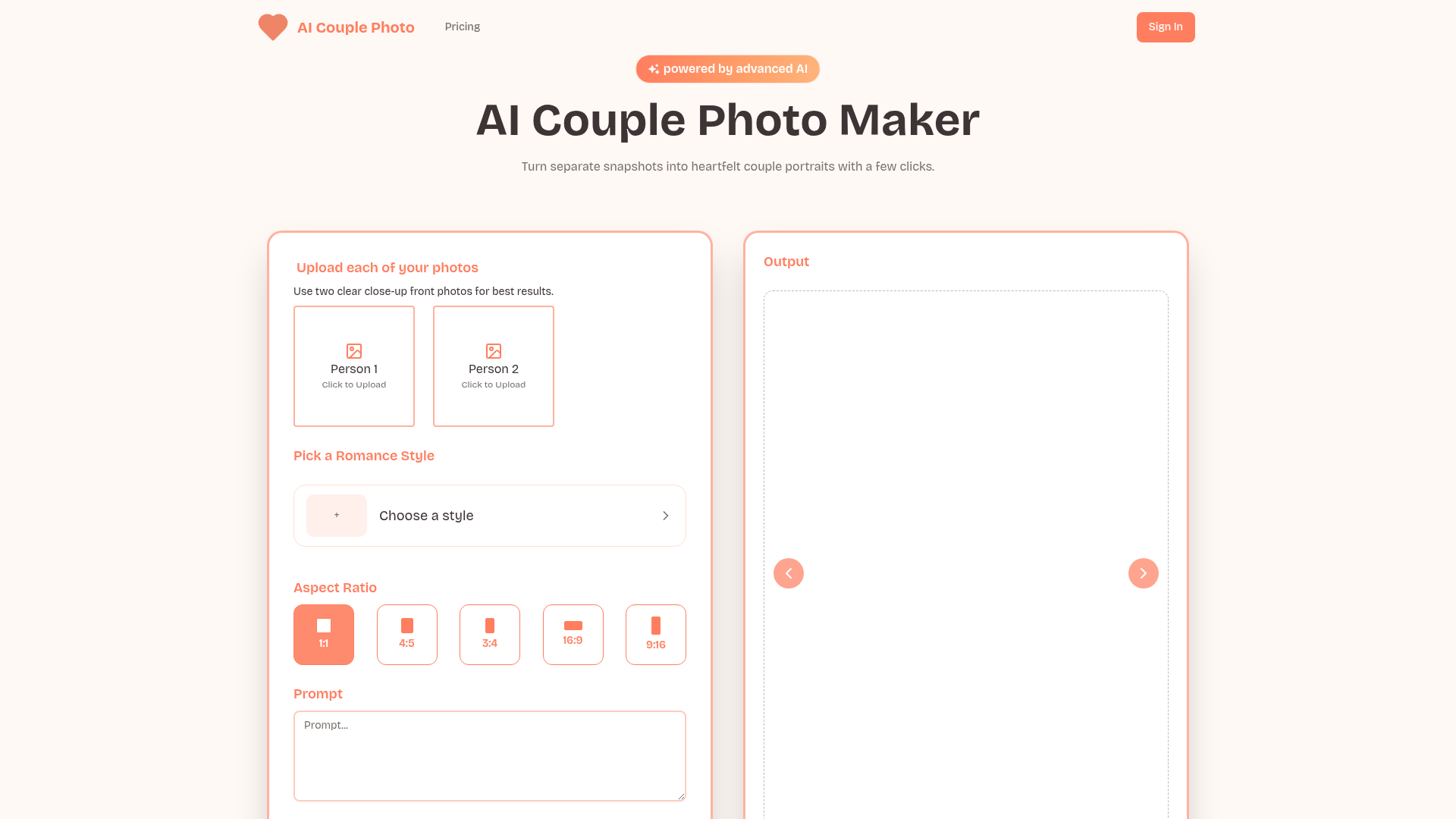
AI Couple Photo: Seamless AI-Powered Couple Portrait Generation AI Couple Photo is an innovative SaaS platform that leverages advanced AI vision models to transform two separate individual photos into a single, seamless, and natural-looking couple portrait. It eliminates the need for professional studios, making heartfelt couple portraits accessible with just a few clicks. This service is ideal for couples, long-distance partners, or anyone looking to create unique romantic memories, celebrate milestones, or generate engaging content for social media without the complexities of traditional photography. Key Features Photorealistic Quality: Produces high-resolution portraits with authentic lighting, crisp details, and accurate skin tones. Effortless Workflow: An intuitive interface guides users through the process, focusing on creativity over complexity. Versatile Scenes & Styles: Offers a broad range of romantic, casual, or themed presets, applying lighting physics and color harmony automatically. Natural Posing & Blending: Advanced algorithms align posture, gaze, and subtly overlap elements for a genuinely photographed feel, removing 'cut-and-paste' looks. Fine-Tune Controls: Intuitive sliders allow adjustments for warmth, brightness, and background blur with real-time previews. Cloud Processing & Easy Export: Reliable, fast generation across devices with nothing to install, and portraits downloadable in popular formats for printing or sharing. Use Cases AI Couple Photo excels in scenarios where traditional photography is challenging or impractical. Long-distance couples can bridge geographical gaps by creating monthly "virtual date" photos, fostering a sense of closeness and shared experiences. This transforms routine selfies into romantic memories, as seen with Aaron and Yumi's cherry-blossom portrait. It's also perfect for commemorating special occasions. Couples celebrating anniversaries, like Carlos and Élodie's Eiffel Tower revisited portrait after 25 years, can recreate missed moments or dream scenes from solo shots. This makes milestone celebrations extra special and provides unique, framed gifts. Furthermore, the platform serves as an excellent tool for creative exploration. Users can preview beach-side engagement shots or test various wedding themes before committing to a professional photographer, saving both time and money. It's a digital scrapbook for every city a couple dreams of visiting. Pricing Information While specific pricing tiers are not detailed in the provided content, AI Couple Photo operates on a paid model, offering a valuable service for generating high-quality, AI-powered couple portraits. Users are encouraged to visit the "Pricing" section on the website for current subscription or credit-based options. User Experience and Support The platform boasts an intuitive and user-friendly interface, designed to keep users focused on creativity. A guided wizard assists with photo uploads, checks resolution, and suggests optimal poses. Real-time previews and smart boundaries prevent over-editing, ensuring a fun and productive experience. Support is available via email at support@ai-couple-photo.com, and a comprehensive blog offers guides, tips, and inspiration for maximizing the tool's potential. An extensive FAQ section addresses common queries. Technical Details AI Couple Photo is powered by advanced AI vision models, refined for realism and emotional impact. It utilizes neural lighting adjustment, skin-tone balancing, and sophisticated alignment algorithms to ensure natural interaction and consistent lighting between merged photos. Edge-aware tone-mapping preserves depth cues, making poses like hugs or hand-holding look authentic. Cloud GPUs handle high-resolution merges efficiently, ensuring rapid processing times. Pros and Cons Pros: Generates photorealistic, high-resolution couple portraits from individual photos. Effortless, intuitive workflow with fine-tune controls. Versatile styles and natural posing, eliminating 'cut-and-paste' looks. Ideal for long-distance relationships, anniversaries, and unique gifts. Cloud processing for speed and accessibility. Cons: Requires clear, close-up front photos for optimal results, which might be a limitation for some inputs. Specific pricing details are not immediately transparent in the initial overview. Output quality is dependent on input photo quality. Conclusion AI Couple Photo offers a powerful and accessible solution for creating beautiful, shared memories from individual snapshots. Its blend of advanced AI, user-friendly design, and versatile output makes it an invaluable tool for couples worldwide. Explore AI Couple Photo today to transform your photos into cherished portraits and celebrate your connection.

AI & Machine LearningDesign ToolsHelpers
0
0
VoxDeck logo

12. VoxDeck

VoxDeck, the next-gen AI presentation maker, lets you ditch generic slides. Access 3D charts to bring your data to life, animated slides, and presentable avatar via simple dialogue. No design skills required—create engaging, attention-grabbing slides easily.

AI & Machine LearningDesign ToolsProductivity
0
0
Alai logo

13. Alai

Create high quality presentations using AI

Design ToolsProductivity
0
1
Suno V5 App logo

14. Suno V5 App

Suno V5 App: Your AI-Powered Creative Studio Suno V5 App is an innovative SaaS platform that empowers users to effortlessly generate high-quality music and stunning images using advanced AI models. It serves as a creative partner for anyone looking to bring their ideas to life through artificial intelligence. This platform is ideal for musicians, content creators, artists, developers, and anyone seeking to leverage AI for rapid prototyping, unique content generation, or integrating AI-powered creative capabilities into their own applications. Key Features AI Music Generation: Create instrumental tracks and add vocals with adjustable gender, style, weirdness, and audio weight. AI Image Generation: Generate captivating visuals to complement your music or for standalone creative projects. Customizable Generation Parameters: Fine-tune your creations with sliders for Style Weight, Weirdness Constraint, and Audio Weight. Suno V5 API Access: Integrate powerful AI music and image generation capabilities directly into your own applications. Free Credits & Trial: Sign in with Google to receive free credits and start generating immediately. Multi-language Support: The application interface is available in multiple languages including English, Japanese, Korean, Spanish, and more. Use Cases Suno V5 App is incredibly versatile. Musicians can utilize it to quickly generate demos, explore new genres, or create unique background scores for their projects without needing extensive musical knowledge or equipment. Content creators, podcasters, and video producers can generate bespoke audio tracks and visual elements that perfectly match their content's mood and theme, enhancing engagement and production value. For artists and designers, the platform offers a novel way to experiment with AI-generated art, creating unique visual assets or conceptual pieces. Developers can leverage the Suno V5 API to embed sophisticated AI music and image generation functionalities into their own software, opening up new possibilities for interactive experiences, gaming, or automated content creation tools. Pricing Information Suno V5 App operates on a freemium model, offering a free trial where users can sign in with Google to receive complimentary credits to begin their creative journey. While specific paid tiers are not detailed, the presence of a "Pricing" section and mention of "pay-per-use" (from the prompt) indicates that advanced features or higher usage limits are available through paid subscriptions. User Experience and Support The platform emphasizes ease of use, allowing users to start generating AI music and images with a simple idea. The interface is designed to be intuitive, making AI creation accessible to everyone. Comprehensive support is available through the Suno V5 API Documentation for developers, and a dedicated Frequently Asked Questions (FAQ) section addresses common queries. The availability of multiple languages further enhances accessibility for a global user base. Technical Details Suno V5 App leverages advanced AI models, specifically mentioning "Model: v3.5" and "Music Models" for its generation capabilities. The robust Suno V5 API provides programmatic access to these powerful AI functionalities, allowing for seamless integration into external systems. While specific programming languages or frameworks are not disclosed, the API suggests a well-engineered backend infrastructure. Pros and Cons Pros: Accessible AI music and image generation, free credits for new users, powerful API for developers, highly customizable output parameters, intuitive user interface, supports multiple languages. Cons: Specific details on advanced customization beyond sliders are not provided, potential learning curve for maximizing API integration, no explicit mention of advanced audio editing features within the app. Conclusion Suno V5 App stands out as a comprehensive and user-friendly AI creative platform, offering unparalleled ease in generating both music and images. With its free trial, powerful API, and customizable features, it's an invaluable tool for creators and developers alike. Explore Suno V5 App today and unlock your next AI-generated masterpiece!

AI & Machine LearningAPIs & IntegrationsDesign Tools
Featured
0
0
PixExtender logo

15. PixExtender

Expands images to any size without cropping, supporting all social media platforms and batch processing.

AI & Machine LearningDesign ToolsProductivity
1
1
AI Image Expander | iExPander logo

16. AI Image Expander | iExPander

iExPander: AI-Powered Image Expansion for Seamless CreativityiExPander is an innovative AI image expander that effortlessly extends image backgrounds and content beyond their original borders. Utilizing advanced artificial intelligence, it generates new, natural-looking areas that blend seamlessly with your existing photos, making it perfect for adapting visuals to any aspect ratio and size.This powerful SaaS is designed for a broad audience, including social media creators, e-commerce businesses, designers, marketers, and photographers, enabling them to transform flawed crops into flawless compositions and create stunning backgrounds with ease.Key Features:AI-Powered Image Expansion: Effortlessly extends photos with advanced AI, generating seamless, high-quality extensions.Seamless, Natural-Looking Results: Creates realistic extensions without stretching or distortion, adapting images for various platforms.Multi-Aspect Ratio Support: Supports square, portrait, landscape, and custom sizes, catering to all major social and design platforms.Intelligent Background Generation: Automatically generates new, context-aware backgrounds and fills missing areas.Easy to Use: One-click expansion requires no design skills, making it accessible for everyone.High-Quality, Watermark-Free Downloads: Provides professional, high-resolution results suitable for both online and print use.Secure & Private Processing: Ensures your images are processed securely with privacy protection.Use Cases:iExPander is an indispensable tool for social media creators and influencers looking to effortlessly expand images for platforms like Instagram, TikTok, and Facebook, ensuring eye-catching visuals that fit any aspect ratio. E-commerce businesses can leverage it to expand product photos for Amazon, Shopify, and online stores, instantly generating professional backgrounds and adapting images for banners and ads.Designers and marketers will find iExPander invaluable for adapting and extending images for marketing campaigns and creative projects, allowing them to create visuals with perfect dimensions and seamless backgrounds. Photographers and artists can enhance their work by fixing awkward crops, extending backgrounds, and adding creative space to their images, ideal for portfolios and digital art.Pricing Information:iExPander operates on a freemium model, offering a limited number of free uses to get started. For more extensive needs, users can subscribe to paid plans. The "Basic" subscription is priced at $15.90/month (billed at $19.90/month without 20% saving) and includes 200 credits. The "Pro" subscription costs $39.90/month (billed at $49.90/month without 20% saving) and provides 600 credits, both offering high-quality AI tools, permanent image storage, and watermark removal.User Experience and Support:The platform boasts an intuitive, user-friendly interface that simplifies the image expansion process to just a few clicks: upload, choose aspect ratio, generate, and download. No specialized skills are required, making it accessible to all users. For any inquiries or support, users can contact iExPander via email at [email protected]Technical Details:iExPander leverages advanced and sophisticated AI algorithms to analyze image content, style, and context, intelligently generating new pixels that blend seamlessly. This AI-powered approach ensures natural-looking extensions without distortion, interpreting visual elements like colors, textures, and patterns to maintain artistic quality.Pros and Cons:Pros:Generates seamless, natural-looking image extensions.Supports multiple aspect ratios and custom dimensions.Intelligent background generation and "uncropping" capability.Extremely easy to use with a one-click process.Delivers high-quality, watermark-free downloads.Ensures secure and private image processing.Significantly saves time compared to manual editing.Cons:Limited free uses, requiring subscription for frequent use.Credit-based system might require monitoring for heavy users.No explicit mention of advanced manual control over AI generation.Conclusion:iExPander stands out as a leading AI image expander, offering unparalleled ease of use and professional results for extending and enhancing images. Its ability to seamlessly adapt visuals for diverse platforms and creative needs makes it an essential tool for anyone looking to elevate their visual content. Try iExPander today to unlock new creative possibilities and expand your images effortlessly.

AI & Machine LearningDesign ToolsMarketing
0
1
Nano Banana Editor logo

17. Nano Banana Editor

Nano Banana Editor is a cutting-edge AI image editing tool powered by Google Nano Banana technology. It enables users to transform and create stunning images using natural language text prompts, delivering fast, accurate, and consistent results. This powerful SaaS is ideal for creative professionals, digital artists, e-commerce businesses, and marketers seeking to streamline their image editing workflow with advanced AI capabilities. Key Features Natural Language Editing: Edit images using simple text prompts, with Google Nano Banana AI understanding complex instructions. Character Consistency: Maintain perfect character details across multiple edits, preserving faces and identities. Scene Preservation: Seamlessly blend edits with original backgrounds for natural-looking results. One-Shot Editing: Achieve perfect results in a single attempt, solving complex image editing challenges effortlessly. Multi-Image Context: Process multiple images simultaneously for advanced workflows. AI UGC Creation: Generate consistent AI influencers and user-generated content for marketing campaigns. Use Cases Nano Banana Editor revolutionizes various visual content creation. For e-commerce, it offers Virtual Clothing Try-On and E-commerce Editing to swap products realistically. Photographers and designers can leverage Intelligent Retouch for automatic enhancements and Creative Composition to blend multiple references. It also supports Pose-Driven Storyboards for animation pre-viz and AR Info Overlay for location-based augmented reality experiences, making it versatile for diverse creative and commercial needs. Pricing Information Nano Banana Editor offers a flexible pricing structure, including a "Pay As You Go" option and tiered monthly or yearly subscription plans: Basic, Pro, and Max. Yearly subscriptions provide a significant 50% saving. Users can "start creating immediately without signing up" to experience core functionalities, with paid plans unlocking more credits, faster generation speeds, and advanced features. User Experience and Support The platform is designed for intuitive use, featuring a "Prompt Engine" that allows users to transform images with simple text commands and an "Output Gallery" for instant previews. Basic customer support is included, with priority support for Pro users and a dedicated account manager for Max subscribers. Its emphasis on "one-shot editing" ensures efficiency and ease of use. Technical Details Powered by Google Nano Banana technology, Nano Banana Editor leverages advanced AI for natural language understanding, character consistency, and scene preservation. It supports common image formats like PNG, JPG, JPEG, and WEBP for uploads and downloads, ensuring high-quality, consistent results across diverse editing tasks. Pros and Cons Pros: Powered by Google Nano Banana AI, exceptional natural language understanding, superior character consistency, efficient one-shot editing, multi-image support, seamless scene preservation, versatile applications. Cons: No explicit free trial (though basic use is free), some advanced features are "Coming in October," not officially affiliated with Google, higher-tier plans can be costly. Conclusion Nano Banana Editor redefines AI image editing with its powerful Google Nano Banana integration, offering unparalleled natural language control and consistent, high-quality results. It's an indispensable tool for anyone seeking to elevate their visual content creation. Try Nano Banana Editor today to experience the future of image manipulation.

AI & Machine LearningDesign ToolsE-commerce
0
0
AI ASMR logo

18. AI ASMR

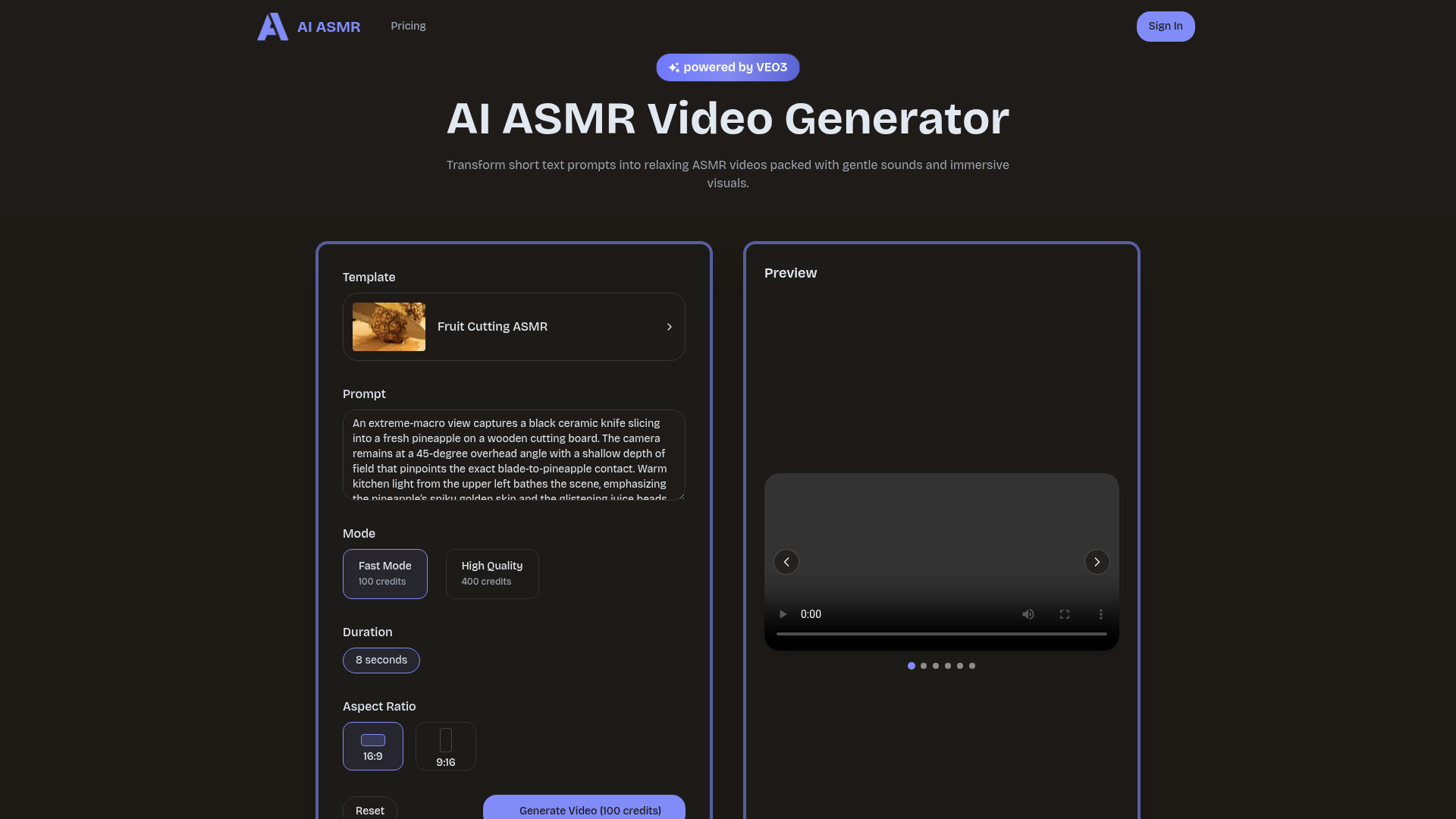
AI ASMR Video Generator is an innovative SaaS platform that transforms short text prompts into relaxing ASMR videos, complete with gentle sounds and immersive visuals. Powered by the VEO3 engine, it enables anyone to create soothing audiovisual experiences without the need for professional studio equipment. This tool is ideal for content creators, marketing teams, game developers, audiobook producers, and educators looking to produce high-quality, calming content efficiently. Key Features Text-to-Video Generation: Convert simple text prompts into engaging ASMR videos. Crisp Audio & Visuals: Delivers crystal-clear whispers, taps, and lifelike atmospheric scenes. Customizable Styles: Switch between whisper, tapping, ambience, or role-play themes with a single click. Intuitive Control: Adjust intensity, audio balance, and visual flair using simple sliders. Cloud-Powered Reliability: High-performance servers ensure consistent and reliable video creation. Seamless Export: Download finished videos in popular formats ready for sharing across platforms. Use Cases For individual content creators, AI ASMR accelerates the production of trending relaxation videos, allowing them to quickly turn ideas into shareable clips. Marketing and content teams can scale their output of calming content, maintaining consistent ambience, color, and pacing across all videos, which is crucial for brand cohesion and engagement. Game developers can rapidly prototype ambient soundscapes and visual moods for their projects, iterating on ideas in hours instead of weeks. EdTech directors and audiobook producers can enhance student engagement with dynamic, multi-language ASMR videos, while VA developers can create believable, lifelike scenes for virtual assistants with avatars, improving user immersion. Pricing Information AI ASMR operates on a credit-based pricing model, with options for 'Fast Mode' at 100 credits and 'High Quality' generation at 400 credits per video. Specific details on credit purchase or subscription plans are not provided, but it is clearly a paid service. User Experience and Support The platform offers a simple creation space designed for both newcomers and professionals, focusing on creativity with an intuitive dashboard. Users can follow a quick 3-step guide to generate their first video. Support resources include a blog with tutorials, tips, and inspiration, and direct email support at support@ai-asmr.io. Technical Details AI ASMR is powered by advanced AI models, specifically tuned for relaxation content, and utilizes the VEO3 engine for transforming prompts into audiovisual experiences. Its cloud processing infrastructure ensures reliable creation regardless of the user's device, leveraging high-performance servers for rendering sharp visuals and soothing audio layers. Pros and Cons Pros: Rapid creation of high-quality ASMR videos from text prompts. Eliminates the need for studio equipment and complex editing. Offers diverse visual styles and audio themes. Ensures character and brand consistency across video series. Intuitive interface suitable for all skill levels. Reliable cloud-based processing. Cons: Specific pricing tiers beyond credit consumption are not detailed. Reliance on AI models means less granular control than manual production. No explicit mention of a free trial or freemium option. Conclusion AI ASMR Video Generator provides an accessible and powerful solution for creating captivating, calming audiovisual content with minimal effort. Its blend of AI-driven sound design and generative visuals makes it an invaluable tool for anyone looking to produce immersive relaxation experiences. Explore AI ASMR today to transform your ideas into soothing videos and enhance your content strategy.

AI & Machine LearningDesign ToolsVideo & Streaming
0
0
PixlDust logo

19. PixlDust

Stop letting poorly take photos spoil your brand. Post high quality photos of dress and clothing. Post photos that users can relate to. Post photos that showcase how dresses would look like on different body types. With PixlDust, this just became easier

Design ToolsE-commerceProductivity
0
1
Tangens Inc logo

20. Tangens Inc

ShortMotion: Motion Graphics on iPhone

Design Tools
0
1
PreviousPage 5 of 12Next