logoSaasHunt
  • Submit Project
  • Collections
  • Pricing
  • Sponsors
Sign inSign up
Sign in

Categories

Browse Categories

AI & Machine Learning912 projectsAPI Tools78 projectsAPIs & Integrations76 projectsAuthentication14 projectsBlockchain & Crypto19 projectsBusiness Analytics145 projectsCI2 projectsCMS19 projectsCRM49 projectsCloud33 projectsCode14 projectsCollaboration53 projectsCommunity Building70 projectsCustomer Data Platforms13 projectsCustomer Support53 projectsData & Analytics131 projectsDatabases30 projectsDesign Tools260 projectsDevOps22 projectsDeveloper Tools242 projectsDevelopment Tools35 projectsE-commerce95 projectsEducation Tech114 projectsEmail Tools47 projectsEvent Management15 projectsFeedback & Survey Tools27 projectsFinance & FinTech79 projectsHR & Recruitment56 projectsHealth Tech51 projectsHelpers153 projectsHosting & Infrastructure14 projectsLegal Tech25 projectsLocalization & Translation20 projectsMarketing513 projectsMobile Development38 projectsMonitoring36 projectsNatural Language Processing39 projectsNo-Code69 projectsOpen Source35 projectsPayment Gateways13 projectsPlatforms & Frameworks110 projectsProductivity595 projectsProject Management53 projectsPrototyping8 projectsSales100 projectsSecurity72 projectsServerless14 projectsSubscription Billing21 projectsTesting & QA24 projectsUI/UX32 projectsVideo & Streaming106 projectsWeb Development79 projectsWeb318 projectsWorkflow Automation142 projects

Quick Access

Trending NowTop of Last Month
Company LogoSaasHunt

Product Hunt alternative for startups

© 2026 SaasHunt. All rights reserved.

Build with ❤️ by DirEasy

Discover

  • Trending
  • Categories
  • Submit Project

Resources

  • FAQs
  • Pricing
  • Sponsors
  • Blog
  • Help Center

Legal

  • Terms of Service
  • Privacy Policy

Connect

  • GitHub
  • Twitter / X

Products

  • ShipThing
  • DevHub
  • AIChatOne
SaasHunt - Product Hunt Alternative for Saas products | Product HuntExample ImageUneed POTD1 BadgeSaasHunt - Product Hunt Alternative for Saas products | Startup FameBest SaaS Boilerplates Verified BadgePowered by Open-LaunchListed on Turbo0TinyLaunch BadgeFeatured on Starter BestFeatured on The One StartupMonitor your Domain Rating with DRChecker Featured on Days LaunchIndieWallToolsFine.com-Best AI Tools and AI App in 2024Featured on Dofollow.ToolsAiTop10 Tools Diresctory

AI & Machine Learning

Get Magic Tools logo

1. Get Magic Tools

Get Magic Tools is a premier AI tools directory designed to empower creators, professionals, and businesses by providing a meticulously curated selection of artificial intelligence solutions. It serves as an essential resource for anyone looking to enhance productivity, unlock creativity, and streamline workflows with the power of AI. Key Features: Extensive Curation: Features over 2,500 rigorously tested and top-rated AI tools across 100+ categories. Editor's Picks: Highlights essential AI productivity tools to supercharge work efficiency. Diverse Pricing Models: Includes a wide range of free, freemium, and paid AI tools to suit all budgets. Intuitive Navigation: Allows users to easily browse and filter tools by specific categories like Writing, Image Generation, and Coding. Concise Summaries & Ratings: Provides quick overviews and user feedback to aid in tool selection. Community & Support: Offers support via Discord/email and a newsletter for weekly AI tool discoveries. Use Cases: Get Magic Tools is invaluable for designers seeking generative AI tools to overcome creative blocks and accelerate their artistic output, transforming ideas into stunning visuals instantly. Entrepreneurs can leverage the directory to discover AI solutions that automate mundane tasks, optimize business operations, and drive growth, allowing them to focus on strategic initiatives. For starters or those on a budget, the platform provides a comprehensive list of powerful free AI tools, enabling them to harness AI's potential without financial commitment. Beyond these, the directory caters to a broad audience including content creators, developers, marketers, and product managers who need to find specific AI assistants for writing, coding, image editing, data analysis, and more. It helps users quickly identify tools that solve common problems, improve efficiency, and foster innovation across various professional domains. Pricing Information: Access to the Get Magic Tools directory itself is completely free, offering users unrestricted browsing and discovery of AI tools. The listed AI tools within the directory feature a mix of pricing models, including free, freemium, and paid options, catering to diverse user needs and budgets. User Experience and Support: The platform boasts an intuitive and user-friendly interface, making it simple to navigate through its extensive collection. Users can easily filter tools by categories and review concise summaries and user ratings to make informed decisions. For assistance, Get Magic Tools provides support through Discord and email, ensuring users can get their questions answered. Additionally, a weekly newsletter keeps subscribers updated on the latest AI tool discoveries and tips. Technical Details: While specific programming languages or frameworks for the Get Magic Tools platform are not explicitly detailed, it operates as a web-based directory, accessible through standard internet browsers. Its functionality relies on robust backend systems to manage and present a vast database of AI tools efficiently. Pros: Highly curated selection ensures quality and relevance. Extensive database with 2,500+ tools and 100+ categories. Highlights free and freemium options, making AI accessible. User-friendly interface with clear summaries and ratings. Strong focus on productivity and creativity enhancement. Cons: Some categories currently show 0 tools, indicating potential areas for expansion. Lack of advanced filtering options beyond basic categories (e.g., by specific features, integration types). No explicit mention of API access or integrations for the directory itself. Conclusion: Get Magic Tools stands out as an indispensable resource for anyone looking to navigate the rapidly expanding landscape of artificial intelligence tools. Its commitment to curation, user-centric design, and diverse offerings makes it a go-to platform for discovering the best AI solutions to 10x your productivity and creativity. Explore Get Magic Tools today and unlock the magic of AI for your workflow.

AI & Machine LearningDesign ToolsProductivity
Featured
0
1
Blackbox AI logo

2. Blackbox AI

Blackbox AI is a dual-purpose platform that combines an AI-powered coding assistant with autonomous agents. Its mission is to help developers code faster, automate repetitive tasks, and scale projects seamlessly. Trusted by over 30 million builders worldwide, including Fortune 500 companies, it targets developers of all skill levels, from beginners to enterprises, as well as students and freelancers. Key Features AI Autocomplete for 20+ languages, providing real-time code suggestions. Real-time Debugging Assistance that identifies errors and suggests fixes. Autonomous AI Agents for local or remote execution of repetitive tasks like testing, deployment, or monitoring. Extensive Multi-language support including Python, JavaScript, TypeScript, Go, Ruby, Java, and C++. Enterprise scalability with robust security features suitable for large organizations. Flexible Cloud + Local execution options for diverse development workflows. Use Cases For startups, Blackbox AI accelerates Minimum Viable Product (MVP) development by automating repetitive coding tasks and providing instant autocomplete, significantly reducing time to market. This allows small teams to compete effectively despite limited resources and focus on core innovation. Enterprises leverage Blackbox AI's scalability to manage complex projects across distributed teams. Autonomous agents handle background tasks like testing, monitoring, and deployment, freeing developers to concentrate on strategic initiatives. Its robust security and integration capabilities are crucial for large organizations. Students and educators benefit from Blackbox AI as a powerful learning tool. Beginners can grasp coding concepts faster with guided autocomplete, while teachers can use it to demonstrate complex ideas in real-time, preparing students for the future of AI-driven development. Freelancers and agencies also boost productivity, delivering projects quicker and with fewer errors. Pricing Information Blackbox AI offers a flexible pricing model designed to suit various users. It includes a free tier providing basic autocomplete features, ideal for students, hobbyists, and freelancers starting out. The Pro Plan unlocks advanced debugging and automation features for professionals and small teams. For large organizations, the Enterprise Plan offers full integration with cloud platforms, advanced automation, and priority customer support, ensuring scalability and security. User Experience and Support Blackbox AI integrates seamlessly with popular Integrated Development Environments (IDEs) like VS Code and JetBrains, ensuring a smooth and efficient user experience directly within the coding environment. The platform provides comprehensive tutorials and how-to guides to help users master its features and unlock its full potential. While dedicated support is a highlight of the Enterprise Plan, the intuitive design and extensive documentation aim to reduce the learning curve for all users, making it accessible for beginners and powerful for advanced developers. Technical Details Blackbox AI supports over 20 programming languages, including Python, JavaScript, TypeScript, Go, Ruby, Java, and C++. It offers robust integration capabilities with major cloud platforms such as AWS, Azure, and Google Cloud, as well as Continuous Integration/Continuous Deployment (CI/CD) tools like Jenkins and GitHub Actions. This allows for flexible cloud and local execution of AI agents and development workflows, enhancing productivity across various technical stacks. Pros Codes 10x faster with intelligent autocomplete. Reduces human error and improves code quality via AI-assisted debugging. Automates repetitive tasks, significantly boosting efficiency. Enhances team collaboration through AI agents managing background tasks. Offers enterprise-grade scalability and security. Fosters innovation by abstracting away routine burdens. Democratizes coding for diverse skill levels and audiences. Cons Continuous evolution required for integrations with new tools and frameworks. Customization of advanced AI agents and workflows may require practice. Beginners must balance AI assistance with fundamental learning to build strong skills. Conclusion Blackbox AI is more than just a coding assistant; it's a comprehensive platform driving a paradigm shift in software development. By combining powerful AI autocomplete with autonomous agents, it empowers developers to build faster, smarter, and more efficiently. Explore Blackbox AI today to revolutionize your development workflow and accelerate project delivery.

AI & Machine LearningDeveloper ToolsWorkflow Automation
Featured
0
1
Pixlio AI logo

3. Pixlio AI

Pixlio AI is an all-in-one image generation and editing platform that turns text prompts or uploaded images into high-quality visuals in seconds. It supports both text-to-image and image-to-image workflows with model-aware controls for styles, aspect ratios, formats, and reproducible seeds, plus clear credit estimates before you generate.Pixlio also includes AI image style tools for specific outcomes, such as professional headshots and artistic pattern generation, along with practical utilities like background removal, image upscaling, image-to-prompt, and image unblur - so you can create, refine, and enhance visuals in one place.

AI & Machine LearningDesign ToolsMarketing
Featured
0
1
Collectopedia logo

4. Collectopedia

Collectopedia is a real time portfolio tracker for physical collectibles with instant valuations, automated price updates, and AI powered hold or sell signals so you can manage your collection like an investment.

AI & Machine LearningFinance & FinTechProductivity
0
0
Sketch To logo

5. Sketch To

Sketch To is a powerful AI-driven SaaS platform designed to transform images into sketches and sketches into realistic images. It caters to a broad audience, from hobbyists and students to professional artists, designers, and content creators, offering versatile tools for various creative and commercial projects. Key Features: Advanced Image to Sketch Conversion: Utilizes AI to convert photos into beautiful pencil sketches. AI-Powered Sketch to Image: Transforms sketches into realistic, detailed images, especially with the Pro model. Standard Model with Free Trial Credits: Provides high-quality results for personal use, hobbies, and school projects. Professional Model for Commercial Use: Unlocks world-class realism, superior detail, and texture for professional projects. Instant Processing: Leverages powerful cloud-based AI for rapid conversion times. High-Resolution Output: Delivers creations suitable for print and professional applications. Use Cases: Hobbyists and students can leverage Sketch To's standard model and trial credits to generate artistic sketches for social media, personal creative endeavors, or academic assignments. It serves as an excellent tool for quickly visualizing concepts or adding a unique artistic touch to digital content. For professionals, the Pro model offers unparalleled detail and realism, making it ideal for commercial design work, client projects, and high-quality content creation. Graphic designers, digital artists, and photographers can transform their work with advanced AI capabilities, ensuring stunning and accurate results for their portfolios and business needs. Pricing Information: Sketch To operates on a freemium model, offering free trial credits for new users to experience its standard model. Paid plans include Basic at $7.99/month (billed annually) and Pro at $15.99/month (billed annually), providing different credit allowances and features like commercial licenses and priority support. User Experience and Support: The platform is designed for ease of use, allowing users to convert images in three simple steps. Testimonials highlight its speed, simplicity, and quality. Pro users benefit from priority email support, and general support is available via contact. Technical Details: Sketch To is built with advanced AI technology, utilizing powerful cloud-based processing for instant conversions. It supports major image formats like JPG, PNG, and WEBP, with uploads up to 10MB. The platform mentions advanced AI models such as "Nano Banana Pro AI Model" and "Seedream 4.5" as underlying technologies. Pros: Versatile AI models for both casual and professional users. Free trial credits available for new users. High-quality, detailed, and realistic outputs. Fast and efficient cloud-based processing. Commercial license included with Pro plans. Supports various image formats and high-resolution output. Cons: Credit-based system might require monitoring usage. Specific programming language/framework details are not publicly disclosed. Conclusion: Sketch To stands out as a comprehensive and user-friendly AI sketch generator, offering robust features for transforming images and sketches with remarkable quality and speed. Its dual-model approach ensures accessibility for all creators, making it a valuable asset for anyone looking to enhance their visual content. Explore Sketch To today to unlock your creative potential.

AI & Machine LearningDesign ToolsMarketing
Featured
0
1
TagPulse logo

6. TagPulse

TagPulse is an innovative AI-powered hardware monitoring software designed for Windows, providing real-time insights and predictive alerts to ensure optimal PC performance. It caters to both individual home users seeking to maintain system health and businesses requiring centralized fleet management.Key Features:AI-Powered Predictions: Learns system patterns to anticipate and prevent hardware issues.Real-Time Monitoring: Tracks CPU, GPU, RAM, and disk metrics with live graphs.SMART Disk Analysis: Offers comprehensive drive health monitoring and failure prediction.Smart Alerts: Notifies users about temperature spikes and potential hardware problems.Low Resource Usage: Operates efficiently with <2% CPU and ~100MB memory consumption.Centralized Fleet Control: (For businesses) Manages multiple computers from a single dashboard.Use Cases:For home users, TagPulse acts as a proactive guardian for their PC, preventing unexpected slowdowns or hardware failures by identifying issues before they escalate. It's ideal for gamers, content creators, or anyone who relies on their Windows machine for critical tasks, offering peace of mind through continuous, intelligent monitoring.Businesses and IT teams can leverage TagPulse Fleet Control for efficient management of their computer infrastructure. It streamlines the monitoring process across multiple machines, enabling early detection of hardware anomalies, reducing downtime, and optimizing IT resource allocation. This ensures a stable and productive environment for employees.Pricing Information:TagPulse operates on a freemium model. It is completely free forever for personal and home use, offering full features without requiring a credit card. For commercial use, Fleet Control plans start at €2 per computer/month, with a 20% discount available for annual billing, making it an affordable solution for businesses of all sizes.User Experience and Support:The software boasts a modern, intuitive interface designed for complete system visibility, as showcased in its screenshots. Its ease of use ensures that users can quickly grasp system health at a glance. For paid Fleet Control users, email support is provided, with priority support available for annual and corporate plans.Technical Details:TagPulse is specifically built for Windows 10 and 11 (64-bit systems). Its core functionality relies on an AI engine, "CHE" (Computer Help Engine), which uses machine learning to analyze usage patterns and detect anomalies. The application is lightweight, ensuring it doesn't burden the very systems it monitors.Pros and Cons:Pros: Free for personal use; AI-powered predictive analytics; Low system resource consumption; Comprehensive hardware monitoring; Centralized management for businesses; Proactive issue detection.Cons: Exclusively for Windows; Admin rights recommended for full sensor data; Commercial use requires paid subscription; No mention of macOS or Linux support.Conclusion:TagPulse offers a powerful yet user-friendly solution for maintaining Windows PC health, from individual users to large enterprises. Its AI-driven approach to hardware monitoring provides unparalleled foresight, transforming reactive troubleshooting into proactive maintenance. Explore TagPulse today to keep your systems running flawlessly.

AI & Machine LearningDeveloper ToolsMonitoring
0
0
BoltAI logo

7. BoltAI

BoltAI is an innovative, free AI Web App Builder designed to revolutionize how users transform their website ideas into functional web pages. It serves as a powerful tool for rapid prototyping and development, enabling anyone to create web content quickly and efficiently without extensive coding knowledge. This platform is ideal for entrepreneurs, marketers, small business owners, and aspiring developers who need to quickly launch landing pages, build project prototypes, or create simple websites based on their concepts. Key Features AI-Powered Web Page Generation: Instantly convert textual ideas or prompts into complete web page layouts and content. Idea-to-Web Page Transformation: Streamline the process from concept to a live web presence. Completely Free to Use: Access powerful AI web building capabilities without any cost. Intuitive User Interface: Designed for ease of use, making web creation accessible to non-technical users. Rapid Prototyping: Accelerate the development cycle by quickly generating and iterating on web designs. Use Cases BoltAI excels in scenarios where speed and efficiency are paramount. Imagine a startup needing to launch a landing page for a new product in a matter of hours; BoltAI can generate a compelling page from a simple description, allowing them to focus on their core business. Similarly, marketing professionals can quickly create A/B test variations of campaign pages to optimize conversion rates without relying on development teams. For individuals, it's an excellent resource for building personal portfolios, event pages, or small informational websites. Developers can also leverage BoltAI to quickly scaffold UI ideas or create mockups, saving valuable time in the initial design phase of larger projects. It democratizes web development, making it accessible to a broader audience. Pricing Information BoltAI stands out by offering its full suite of AI web app building features completely free of charge. This makes it an incredibly attractive option for individuals and businesses looking to minimize costs while maximizing their web development capabilities. User Experience and Support The platform is engineered for an intuitive user experience, allowing users to navigate and create web pages with minimal friction. While specific documentation and support channels are not detailed, a free tool typically offers community forums, basic tutorials, or an FAQ section to guide users through the web creation process. Technical Details At its core, BoltAI leverages advanced artificial intelligence algorithms to interpret user input and generate structured web content. The output is standard web technologies like HTML, CSS, and JavaScript, ensuring compatibility and flexibility for further customization if needed. This AI-driven approach abstracts away the complexities of front-end development. Pros and Cons Pros: Free access to powerful AI web building. Significantly speeds up web page creation. No-code/low-code approach for broad accessibility. Excellent for rapid prototyping and idea validation. Reduces reliance on traditional development resources. Cons: Potential limitations in deep customization compared to hand-coding. Output quality may vary depending on AI interpretation. May have a learning curve for optimizing AI prompts. Specific advanced features might require external tools. Conclusion BoltAI offers an unparalleled opportunity to transform web ideas into reality with the power of artificial intelligence, all without cost. It's a game-changer for anyone seeking to build web pages quickly and efficiently. Explore BoltAI today and unlock the potential of AI-driven web development for your next project!

AI & Machine LearningNo-CodeWeb Development
Featured
0
1
ZeroTwo logo

8. ZeroTwo

Access the complete capabilities of Claude, ChatGPT, Gemini, Perplexity, and more without switching between platforms. ZeroTwo brings every leading AI model and their tools into a single unified workspace.Core FeaturesAdvanced Web Search - Real-time information retrieval powered by Exa's neural search technology combined with autonomous agent capabilities for deep research across multiple sources.Image Generation and Editing - Create and refine images using DALL-E 3, Flux Pro, Google Imagen, and Qwen models with automatic library organization.Code Execution - Execute Python code in a secure sandbox environment for data analysis, visualization, and file processing.Autonomous Agents - Self-aware AI agents that plan, research, and complete multi-step tasks automatically with real-time progress tracking and self-reflection.Canvas Editor - Collaborate with AI on interactive content creation including code, markdown, and creative projects with real-time editing and suggestions.File Processing - Support for over 50 file formats including documents, spreadsheets, code, video, and audio with automatic video transcription.Persistent Memory - Personalized AI that learns your preferences, interests, and context from previous conversations for increasingly relevant responses.Task Automation - Schedule recurring AI tasks to run daily, weekly, monthly, or on custom schedules with automated result delivery.Video Generation - Create video content using advanced synthesis models.Application Integrations - Connect to 50+ services including Google Workspace, GitHub, Linear, Notion, Stripe, HubSpot, and more with custom MCP server support.Database Connectivity - Direct integrations with PostgreSQL and Supabase for seamless data access and analysis.Collaborative Projects - Organize conversations and work into shared projects for team collaboration and knowledge management.One Subscription. All the Tools.Instead of managing five different AI subscriptions, get the complete feature set of every leading platform in a single interface built for serious work.

AI & Machine LearningProductivityWorkflow Automation
0
2
AI FUTURE ADDA logo

9. AI FUTURE ADDA

Explore AI Future Adda to find, compare, and learn how to use powerful AI tools for work, business, content creation, and automation.

AI & Machine Learning
0
Optivise logo

10. Optivise

Optivise boosts visibility, conversion and GMV per SKU allowing ecommerce sellers to expand on Mirakl powered Marketplaces.

AI & Machine LearningE-commerce
0
1
AyeCreate logo

11. AyeCreate

AyeCreate is the premier AI content creation platform for generating professional AI art, AI images, and AI videos. It unifies top-tier AI models like Sora 2, Veo 3, Kling AI, and Flux 2 Pro into one seamless ecosystem, offering affordable pricing for creators and businesses. Targeting content creators, marketers, e-commerce brands, and creative professionals.Key FeaturesAll-in-One AI Studio: Combines text-to-image, image-to-video, and AI photo editing capabilities in one unified platform.Multi-Model Access: Integrates a vast array of leading AI models including Sora 2, Veo 3, Kling AI, Nanobanana Pro, Gemini 3 Image Preview, Seedream 4, Qwen Image, Flux 2 Pro, Flux Max, and SDXL.Advanced Editing & Enhancement: Offers powerful AI photo editing tools for upscaling, background removal, detail enhancement, and transforming existing photos.Image-to-Video Conversion: Convert static AI images into dynamic videos with added motion, camera movements, and cinematic effects.Brand Consistency & Character AI: Generate and reuse consistent characters, faces, and brand elements, with options to train custom models.Affordable & Flexible Pricing: Provides competitive pricing for premium AI models, unlimited style packs, and commercial licenses.Use CasesAyeCreate empowers users to transform ideas into visual realities, generating AI-powered images for social media, product photography for e-commerce, and video ads for marketing campaigns. Its advanced text-to-image and text-to-video capabilities streamline content production for diverse needs, delivering professional results with simple text prompts.Beyond generation, the platform serves as a comprehensive design studio, enabling creators to polish their work with AI photo editing tools, convert static images into dynamic videos, and maintain brand consistency across all visual assets. It's ideal for generating AI UGC ads, social media posts, thumbnails, and marketing materials at scale, supporting commercial usage with proper licensing.Pricing InformationAyeCreate offers competitive and affordable pricing for AI image and video generation. It provides access to premium AI models, unlimited style packs, and commercial licenses at a fraction of traditional production costs, with flexible plans catering to hobbyists, creators, and enterprise teams.User Experience and SupportDesigned for ease of use, AyeCreate provides an unmatched user experience within a seamless ecosystem. The platform evolves with community feedback, ensuring users always have access to the latest advancements. It integrates generative AI into modern creative workflows, offering an organized workspace with project management, asset libraries, and collaboration features for a smooth creative process.Technical DetailsAyeCreate leverages the power of top-tier AI models such as Sora 2, Veo 3, Veo 3.1, Kling AI, Nanobanana Pro, Gemini 3 Image Preview, Seedream 4, Qwen Image, Flux 2 Pro, Flux Max, and SDXL. It combines these advanced AI technologies to offer a unified platform for diverse content generation needs, focusing on delivering high-quality visual outputs.Pros and ConsPros:All-in-One Solution: Consolidates multiple AI tools (image, video, editing) into one platform.Wide Model Access: Integrates a vast array of leading AI models for diverse outputs.Cost-Effective: Offers affordable pricing compared to traditional content creation.Brand Consistency: Tools for character AI and custom model training ensure on-brand content.Community-Driven Evolution: Platform updates based on user feedback.Cons:Learning Curve: While designed for ease, mastering all integrated models and features might require some initial learning.Dependency on AI Models: Quality and capabilities are tied to the performance of integrated third-party AI models.Specific Customization: No explicit mention of deep custom code integration or highly specialized workflows beyond what the AI models offer.ConclusionAyeCreate stands as a powerful and accessible generative AI design studio, simplifying the creation of professional AI art, images, and videos. Its comprehensive features, diverse model integration, and community focus make it an invaluable tool for turning imagination into reality. Explore AyeCreate today to elevate your creative output.


AI & Machine LearningDesign ToolsMarketing
0
Editaimg AI Editor logo

12. Editaimg AI Editor

Editaimg is an innovative AI Image Editor designed to simplify and enhance photo editing for everyone. It leverages advanced artificial intelligence to transform images with professional-grade results, making complex edits accessible without requiring specialized skills. This powerful SaaS is ideal for content creators, e-commerce businesses, marketers, and anyone looking to quickly and efficiently edit, enhance, and transform their visual content. Key Features AI-Powered Background Removal: Effortlessly remove or change image backgrounds with precision. Intelligent Object Removal & Cleanup: Seamlessly erase unwanted elements, distractions, or watermarks from photos. High-Resolution Upscaling: Enhance image quality and resolution without losing detail. Creative Style Transforms: Apply artistic styles, color grading, and lighting adjustments instantly. Seamless Object Replacement: Subtly alter image details by swapping objects to match your vision. Non-Destructive Editing & Instant Previews: Experiment freely with edits and see results in real-time. Use Cases Editaimg excels in various practical scenarios. For e-commerce, it's a game-changer for creating realistic product shots. Users can take a simple white-background image of a product, like a soap dispenser, and place it into a compelling, realistic setting such as a kitchen sink, instantly generating professional-looking product photos that boost sales. Travel enthusiasts and photographers will find Editaimg invaluable for cleaning up their shots. It can effortlessly remove unwanted people from scenic travel photos, erase distracting utility poles from landscape images, or clear away trash from a perfect beach picture. The AI intelligently reconstructs the background, ensuring a clean, beautiful, and uncluttered final image. Beyond practical applications, Editaimg empowers creative transformations. Users can apply artistic styles, adjust lighting, and perform color grading to give any image a unique look and feel. From simple touch-ups to complete visual overhauls, Editaimg makes professional-level results accessible to everyone, streamlining workflows for designers, marketers, and social media managers. Pricing Information Editaimg operates on a flexible, one-time payment model for credits, eliminating the need for subscriptions. Users can choose from Basic (160 credits for $9.9 USD), Standard (800 credits for $29.9 USD), or Pro (4000 credits for $49.9 USD) packages. All credit packages offer no expiration and priority generation queue access, providing cost-effective access to its powerful AI editing features. User Experience and Support The platform is designed for ease of use, featuring a clean interface where users can simply drag and drop images. With non-destructive editing and instant previews, users can review results in a clean grid before downloading or sharing. Editaimg requires no professional photo editing skills, making it accessible to beginners while still offering advanced controls like aspect ratio adjustments and style strength. While specific support channels aren't detailed, the intuitive workflow and comprehensive FAQ section aim to guide users effectively. Technical Details Editaimg leverages advanced AI and machine learning algorithms to perform its sophisticated image transformations. While specific programming languages or frameworks are not disclosed, its capabilities in background removal, object detection, inpainting, and style transfer indicate a robust backend built on modern AI technologies, delivered through a user-friendly web-based interface. Pros and Cons Pros: AI-powered for professional results; No professional skills required; Non-destructive editing with instant previews; Versatile features including object removal, upscaling, and style transforms; One-time payment model for credits; Streamlines creative workflows. Cons: Credit-based system might require careful management for heavy users; No explicit free trial mentioned; Specific customer support channels are not detailed; Advanced prompting might have a slight learning curve for optimal results. Conclusion Editaimg stands out as a comprehensive and user-friendly AI Image Editor that democratizes professional photo editing. Its powerful AI capabilities, combined with an intuitive interface and flexible pricing, make it an excellent tool for anyone looking to enhance, transform, or clean up their images efficiently. Explore Editaimg today to unlock new creative possibilities and streamline your visual content creation.

AI & Machine LearningDesign ToolsMarketing
0
0
Read PDF Aloud logo

13. Read PDF Aloud

Read PDF Aloud is a browser-based application that instantly transforms your PDF documents into natural-sounding speech. Featuring high-quality neural voices in multiple languages, offline capabilities, and a responsive design, it offers a seamless and accessible listening experience on any device without your data ever leaving your browser.

AI & Machine Learning
0
1
2Girl AI logo

14. 2Girl AI

2Girl AI is a cutting-edge AI girl generator designed to create stunning AI-generated girl images and videos in seconds. This powerful platform caters to creators, designers, and marketers looking to produce high-quality visual content, from fashion photography to artistic portraits, with unparalleled ease. Key Features Advanced AI Models: Integrates leading AI models like Sora 2, Veo 3.1, Wan 2.5, Nano Banana, Seedream 4.0, and Qwen Image for superior generation quality. Versatile Compositions: Generate both solo (1girl) and duo (2girl) compositions, offering flexibility for various creative needs. Diverse Styles: Explore a wide range of trending styles including Anime, Realistic, Cosplay, K-Pop Idol, European Vogue, Gamer Girl, Artistic Silhouette, Office Chic, and Fitness Model. Professional Output: Produces 4K resolution images and cinematic AI girl videos, all with commercial licenses and instant download capabilities. All-in-One Studio: Consolidates multiple AI tools into a single platform, streamlining the creative workflow. User-Friendly Interface: A simple 3-step process allows users to describe their vision, choose models and styles, and generate content effortlessly. Use Cases 2Girl AI is an invaluable tool for a multitude of creative and commercial applications. For fashion and editorial content, users can generate magazine-quality looks, street fashion visuals, and dreamy aesthetic portraits, significantly reducing the time and cost associated with traditional photoshoots. The platform's ability to create specific character types, such as a "Gamer Girl Setup" or "Office Chic," makes it ideal for branding, marketing campaigns, and storytelling. Beyond static images, 2Girl AI excels in video generation, enabling the creation of cinematic AI girl videos with natural movements and expressions. This is perfect for social media content, virtual production, and dynamic advertising. Whether you need a captivating K-Pop idol video or an artistic silhouette, the platform provides the tools to bring complex visual concepts to life without requiring extensive design skills or expensive equipment. Pricing Information 2Girl AI operates on a freemium model, allowing users to generate their first AI girl for free. Subsequent generations are credit-based, with different models requiring varying amounts of credits (e.g., Nano Banana at 3 credits, Wan 2.5 at 30 credits). This flexible system ensures users only pay for what they need, making high-quality AI generation accessible. User Experience and Support The platform is designed for ease of use, featuring a straightforward 3-step generation process that requires no prior design skills. Users simply input a prompt, select their preferred AI model and style preset, and download their 4K, watermark-free creations instantly. For any inquiries or assistance, dedicated support is available via email at support@2girl.ai, ensuring a smooth and productive user experience. Technical Details 2Girl AI leverages a sophisticated array of cutting-edge AI models, including Sora 2, Veo 3.1, Wan 2.5 for video generation, and Nano Banana, Seedream 4.0, Qwen Image, and Z-Image for image generation. These models are optimized to deliver high fidelity, ultra-realistic outputs with advanced features like text integration and natural movement, positioning 2Girl AI at the forefront of AI-powered visual content creation. Pros and Cons Pros: Access to world-class AI models (Sora 2, Veo 3, Nano Banana); Generates both images and cinematic videos; Supports 1girl and 2girl compositions; Wide range of artistic and commercial styles; High-resolution 4K output with commercial license; User-friendly interface with no design skills required; Freemium option available. Cons: Credit-based system may require budgeting for extensive use; Specific model details (e.g., exact version numbers for Sora 2, Veo 3) might evolve; No explicit mention of advanced customization beyond prompts and style presets. Conclusion 2Girl AI stands out as an ultimate AI girl generator, offering an all-in-one solution for creating stunning portraits and cinematic videos. By integrating top-tier AI models and providing a seamless user experience, it empowers creators to produce professional-grade visuals efficiently and affordably. Explore 2Girl AI today to transform your creative visions into breathtaking reality.

AI & Machine LearningDesign ToolsVideo & Streaming
0
1
OutfitSwapStudio logo

15. OutfitSwapStudio

OutfitSwapStudioAI: Realistic AI Clothes Changer for Your PhotosOutfitSwapStudioAI is an innovative SaaS platform that leverages generative AI to perform realistic outfit swaps on your photos in seconds. It allows users to virtually try on different clothing styles while meticulously preserving their face, body proportions, and original background, making it ideal for personal and professional use.This tool is perfect for individuals looking to refresh their social media presence, professionals needing polished headshots, e-commerce businesses showcasing products, and creators designing campaign visuals.Key Features:Realistic Outfit Swaps: Transforms outfits seamlessly while maintaining your identity and background.Diverse Style Presets: Choose from curated AI presets for social, professional, creator, and e-commerce looks.Identity Preservation: Keeps your face, body, and original background intact during the swap.Credit-Based Generation: Pay-per-generation model with free credits to start, charged only on successful outputs.Commercial Use Included: Higher-tier plans offer commercial usage rights for generated images.Privacy-Focused: Photos are auto-deleted periodically and never used for training public AI models.Use Cases:OutfitSwapStudioAI addresses a wide range of needs, from personal style exploration to professional branding. For job seekers, the Interview Outfit Generator creates polished, industry-specific looks for LinkedIn profiles and resumes. Brides-to-be can utilize the Wedding Dress Try-On feature to preview gowns virtually before visiting boutiques, saving time and effort. Social media enthusiasts can effortlessly update their profiles with trendy looks using Streetwear or Date Night presets, while content creators can generate consistent, branded visuals for YouTube thumbnails or course covers with the Creator coach style.Businesses can leverage OutfitSwapStudioAI for e-commerce visuals, using the E-commerce catalog preset for clean product shots or Lifestyle lookbook for contextual imagery. The AI Clothes Color Changer allows for instant color variations without costly reshoots, streamlining product photography. This versatility makes it a powerful tool for anyone needing high-quality, varied outfit imagery without the need for multiple photoshoots.Pricing Information:OutfitSwapStudioAI operates on a freemium, credit-based model. Users can start with 25 free credits to try the service. Paid plans include one-time packs like "Starter" (50 credits for $6.99) and monthly subscriptions like "Creator" ($12.99/month for 200 credits) and "Pro" ($24.99/month for 600 credits), offering more generations, higher resolution downloads, and priority processing. All plans are transparent with no hidden fees, and subscriptions can be canceled anytime.User Experience and Support:The platform boasts a simple, three-step process: upload a photo, choose a style preset, and generate. This intuitive workflow makes it accessible for users of all technical levels. While advanced prompt input is not currently a core feature, the curated presets simplify the process significantly. Support is available via email at support@outfitswapstudio.com, and the FAQ section provides clear answers to common questions regarding usage and privacy.Technical Details:OutfitSwapStudioAI is built upon advanced generative AI models specifically designed for realistic image manipulation. It focuses on preserving facial features, body proportions, and background context, distinguishing it from generic AI image generators that often alter identity. The core technology intelligently applies curated outfit styles based on user-selected presets, ensuring high-quality and consistent results.Pros and Cons:Pros: Realistic and high-quality outfit swaps; Preserves user's face, body, and background; Wide range of curated style presets for various scenarios; Freemium model with free credits to start; Privacy-conscious (photos not used for training); Commercial use available on paid plans; Simple and intuitive 3-step process.Cons: Credit-based system can become costly for very high volume use; No advanced text prompt input for custom styles (currently preset-based); Optimal results require well-lit, half-body/portrait photos; Limited explicit information on direct customer support channels beyond email.Conclusion:OutfitSwapStudioAI offers a powerful and user-friendly solution for anyone needing to virtually try on or swap outfits in their photos. Its focus on realism, identity preservation, and diverse applications makes it an invaluable tool for personal branding, e-commerce, and creative content generation. Explore OutfitSwapStudioAI today to transform your photos with effortless style changes.

AI & Machine LearningDesign ToolsMarketing
0
1
Sourcicle logo

16. Sourcicle

Find candidates, automate outreach, and generate client-ready reports without tab-switching, LinkedIn scraping, or enterprise pricing.

AI & Machine LearningProductivity
0
1
Map Your Voyage logo

17. Map Your Voyage

Map Your Voyage is an innovative SaaS platform designed to streamline travel planning by transforming Instagram inspiration into actionable itineraries. It empowers travelers to effortlessly organize their dream destinations and build detailed trip plans, saving significant time and effort. Ideal for casual travelers, travel enthusiasts, and anyone seeking to convert their social media travel inspiration into concrete, organized trip plans. Key Features Instagram DM to Bucket List: Easily send Instagram reels via DM to automatically add locations to your travel bucket list. Automatic Location Detection: Utilizes AI with 99.8% accuracy to extract and map specific locations directly from video content. Country-Specific Bucket Lists: Organizes all saved locations into neatly categorized lists by country, ready for future trips. One-Click Itinerary Generation: Converts your curated bucket list into a detailed, day-wise itinerary in minutes. Best Price Guarantee: Offers booking services with guaranteed rates that beat online prices, including a 100% price match. Fully Customizable Itineraries: Provides flexibility to tailor trips without being locked into specific hotels or activities. Use Cases Map Your Voyage solves the common problem of Instagram's saved folder becoming a "black hole" for travel inspiration. Instead of losing track of exciting reels, users can instantly DM them to the platform, ensuring every potential destination is captured and organized. This eliminates the frustration of manual searching and note-taking when planning a trip. The platform significantly reduces the time and complexity of trip planning. Travelers can convert a collection of saved spots into a comprehensive, day-by-day itinerary with a single click, bypassing weeks of research. Furthermore, its booking service ensures users secure the best prices for their travel components, adding financial value to the planning process. Pricing Information Map Your Voyage operates on a freemium model. A "Free Plan" offers 30 Instagram DMs per month, unlimited itineraries, and bucket lists. For unlimited DM functionality, users can upgrade to "Pro Monthly" at $1.49/month or the "Pro Annual" plan at $11/year (equivalent to $0.92/month), which offers the best value. All plans include core travel planning features and a best price guarantee for bookings. User Experience and Support The platform emphasizes a simple, three-step process: verify Instagram, DM content, and build your trip. Its intuitive design aims for ease of use, transforming complex planning into a few clicks. Support is available through a comprehensive FAQ section and a Help Center, ensuring users can quickly find answers to their questions. Technical Details Map Your Voyage leverages advanced AI technology for its core functionality, specifically for "Automatic Location Detection." This AI analyzes actual video footage from Instagram reels to identify and map locations with a reported 99.8% accuracy. While specific programming languages are not disclosed, the reliance on AI for video analysis indicates a sophisticated backend. Pros and Cons Pros: Saves weeks of planning time; highly accurate AI location detection (99.8%); automatically organizes locations into country-specific bucket lists; generates day-wise itineraries in minutes; offers a best price guarantee for bookings (10-30% savings); fully customizable trip plans; includes a free tier for casual users. Cons: No specific cons are detailed in the provided text. Conclusion Map Your Voyage offers a powerful and efficient solution for modern travelers, seamlessly bridging the gap between social media inspiration and practical travel planning. By automating tedious tasks and guaranteeing best prices, it empowers users to embark on their dream adventures with unprecedented ease. Explore Map Your Voyage today to transform your travel dreams into reality.

AI & Machine LearningProductivityWorkflow Automation
0
2
Customer Connect CRM logo

18. Customer Connect CRM

CRM with AI. Less hassle. More deals.

AI & Machine LearningCRM
0
1
Beatable logo

19. Beatable

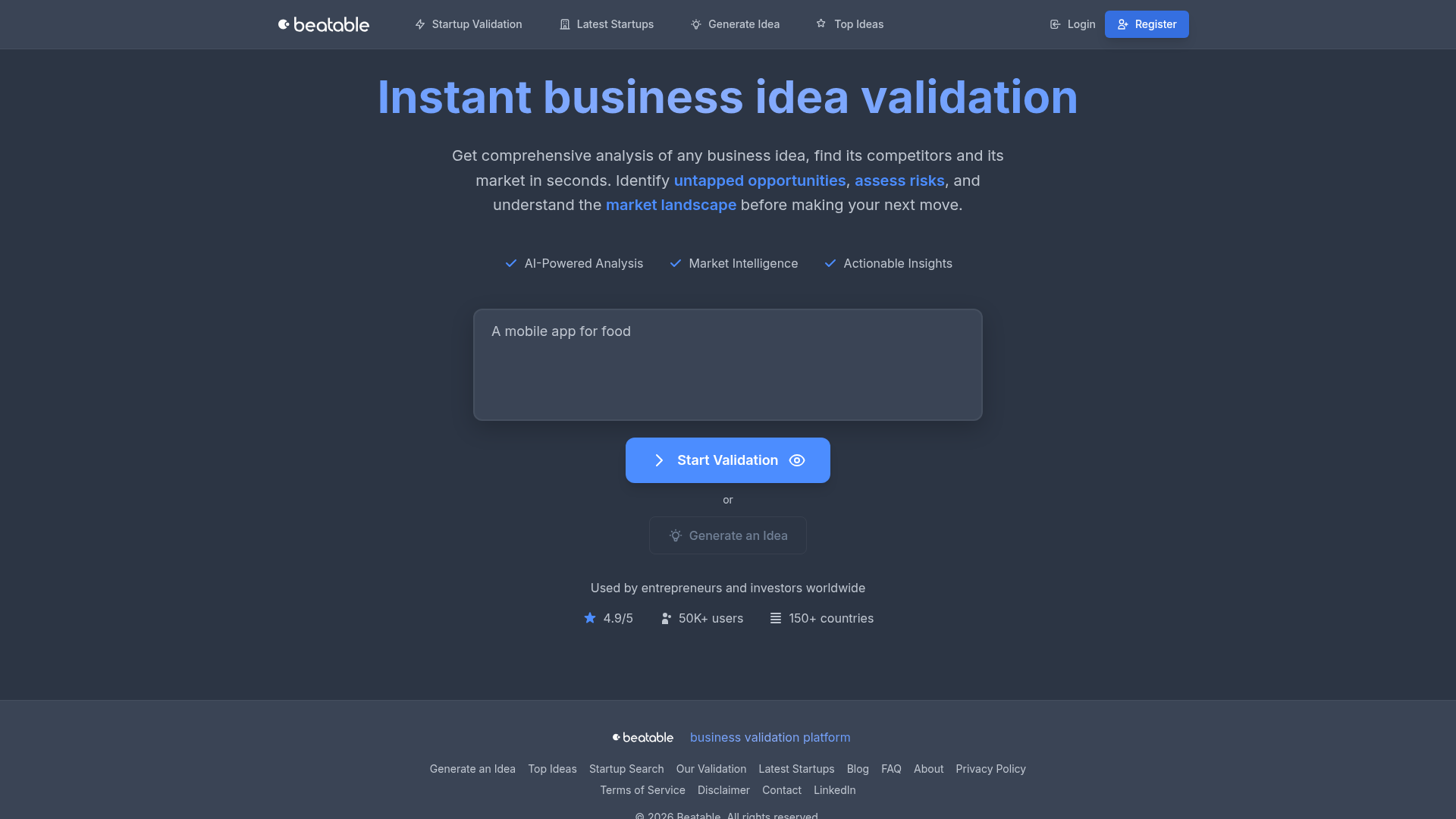
Beatable is an innovative, AI-powered SaaS platform designed for instant business idea validation. It provides comprehensive analysis of any business concept, helping users understand its market, identify competitors, and uncover untapped opportunities. This platform is ideal for entrepreneurs, startup founders, and investors worldwide who need to assess risks and gain actionable insights before launching or investing in new ventures. Key Features AI-Powered Analysis: Leverage artificial intelligence for deep market and competitor insights. Market Intelligence: Gain a thorough understanding of market trends, demand, and landscape. Actionable Insights: Receive clear, data-driven recommendations to guide your decisions. Competitor Analysis: Automatically identify and analyze direct and indirect competitors. Untapped Opportunity Identification: Discover niches and gaps in the market. Risk Assessment: Understand potential challenges and mitigate them proactively. Use Cases Entrepreneurs can utilize Beatable to quickly validate their startup ideas, ensuring market fit and reducing the risk of failure. They gain a clear picture of their target audience, competitive landscape, and potential challenges, enabling agile decision-making and strategic pivoting. Investors can leverage Beatable for due diligence, rapidly evaluating the viability and potential of prospective investments. The platform's market intelligence and risk assessment provide a data-driven foundation for investment decisions, streamlining initial screening and efficient resource allocation. Pricing Information Beatable offers free access to its core analysis features, allowing users to sign up and start validating their business ideas without immediate cost. The "Access for free" and "Create Free Account" options suggest a freemium model or a robust free trial period. User Experience and Support The platform is designed for ease of use, promising "Instant business idea validation" in seconds. With a high rating of 4.9/5 from over 50,000 users across 150+ countries, Beatable delivers a positive user experience. A "Contact" link is available for inquiries, though explicit documentation isn't detailed. Technical Details Beatable's core functionality is driven by "AI-Powered Analysis," indicating the use of advanced machine learning algorithms and data processing techniques. While specific programming languages or frameworks are not mentioned, its ability to analyze vast amounts of data in seconds points to a robust and scalable backend infrastructure. Pros and Cons Pros: Instant, AI-powered business idea validation. Comprehensive market and competitor analysis. Identifies untapped opportunities and assesses risks. Provides actionable insights. Free access available. Cons: Specific premium pricing tiers not explicitly detailed. Limited information on advanced support or documentation. Reliance on AI may require human verification for critical decisions. No mention of customization options. Conclusion Beatable empowers entrepreneurs and investors with rapid, data-driven insights for confident business idea validation. Leverage its AI capabilities to quickly understand market dynamics, identify opportunities, and mitigate risks. Sign up for free today to validate your next big idea and make informed strategic moves.

AI & Machine LearningBusiness AnalyticsMarketing
0
2
Tolerance logo

20. Tolerance

Tolerance is an innovative browser extension designed to help users reclaim their attention from manipulative online content. By scoring posts based on psychological manipulation tactics, Tolerance progressively makes social media feeds less engaging, encouraging users to disengage naturally rather than through forced blocking.It targets anyone struggling with social media addiction, information overload, or the feeling of being constantly manipulated by algorithms, offering a unique approach to digital well-being and attention management.Key FeaturesManipulation Scoring: Every post receives a 0-100 score indicating how hard it's trying to hijack your attention.Progressive Boredom: Content gradually blurs the longer you scroll, making feeds less interesting. Blurred content reveals on hover after 3 seconds.Quality Mode: Instant toggle to blur all content above a certain manipulation score, leaving only genuine content.Adaptive Calibration: Daily questions allow Tolerance to adjust its settings automatically for a personalized experience.Multiplatform Support: Works across Reddit, Twitter/X, YouTube, and Instagram.Use CasesTolerance is ideal for individuals who find themselves endlessly scrolling through social media, feeling drained or manipulated. It helps break the cycle of compulsive checking by making the reward less consistent. For instance, a student can use Tolerance to make social media feeds progressively unappealing, gently nudging them towards more productive activities without the frustration of outright blocking.Professionals seeking to reduce digital distractions and improve focus will find Tolerance invaluable. By making manipulative tactics visible, it fosters a deeper awareness of how algorithms capture attention, empowering users to make conscious choices about online consumption. This leads to a healthier relationship with social media, where users are in control.Pricing InformationTolerance operates on a freemium model. The core browser extension is free and open source, offering essential features with usage limits. For unlimited usage, advanced features like "Narrative Awareness" and "Intention Matching," and early access, a "Pro" subscription is available for $9/month. This subscription also funds the continued development of the free tier.User Experience and SupportThe user experience is designed for ease of use, with a simple setup for Chrome and Firefox. Its philosophy of "extinction" over "blocking" provides a less confrontational and more sustainable path to digital well-being. The daily adaptive calibration ensures a tailored experience. As an open-source project, it benefits from community contributions and ensures user privacy with no tracking.Technical DetailsTolerance functions as a browser extension, leveraging AI to analyze content for manipulation signals. This AI-driven scoring system identifies psychological tactics rather than content quality. The extension then dynamically blurs content based on these scores and user engagement patterns, providing a unique, friction-based intervention.Pros and ConsPros: Utilizes the "extinction" principle; increases awareness of manipulation; open source and private; customizable; works across major social media platforms.Cons: Currently not available on mobile; free tier has usage limits; requires intentional focus to reveal blurred content.ConclusionTolerance offers a groundbreaking, psychologically informed solution to social media manipulation and addiction. By subtly making feeds less rewarding, it empowers users to regain control over their attention and time, fostering a healthier digital lifestyle. Explore Tolerance today to transform your online experience and reclaim your focus.

AI & Machine LearningHelpersProductivity
0
2
PreviousPage 4 of 46Next